







When an AI project stalls, the cause is often sitting somewhere earlier than the build. The idea made sense, the demo went well, and then a question comes up that nobody can answer. Where exactly does this data live? Who is allowed to change how the team handles orders? What is the system allowed to do without a person checking it?
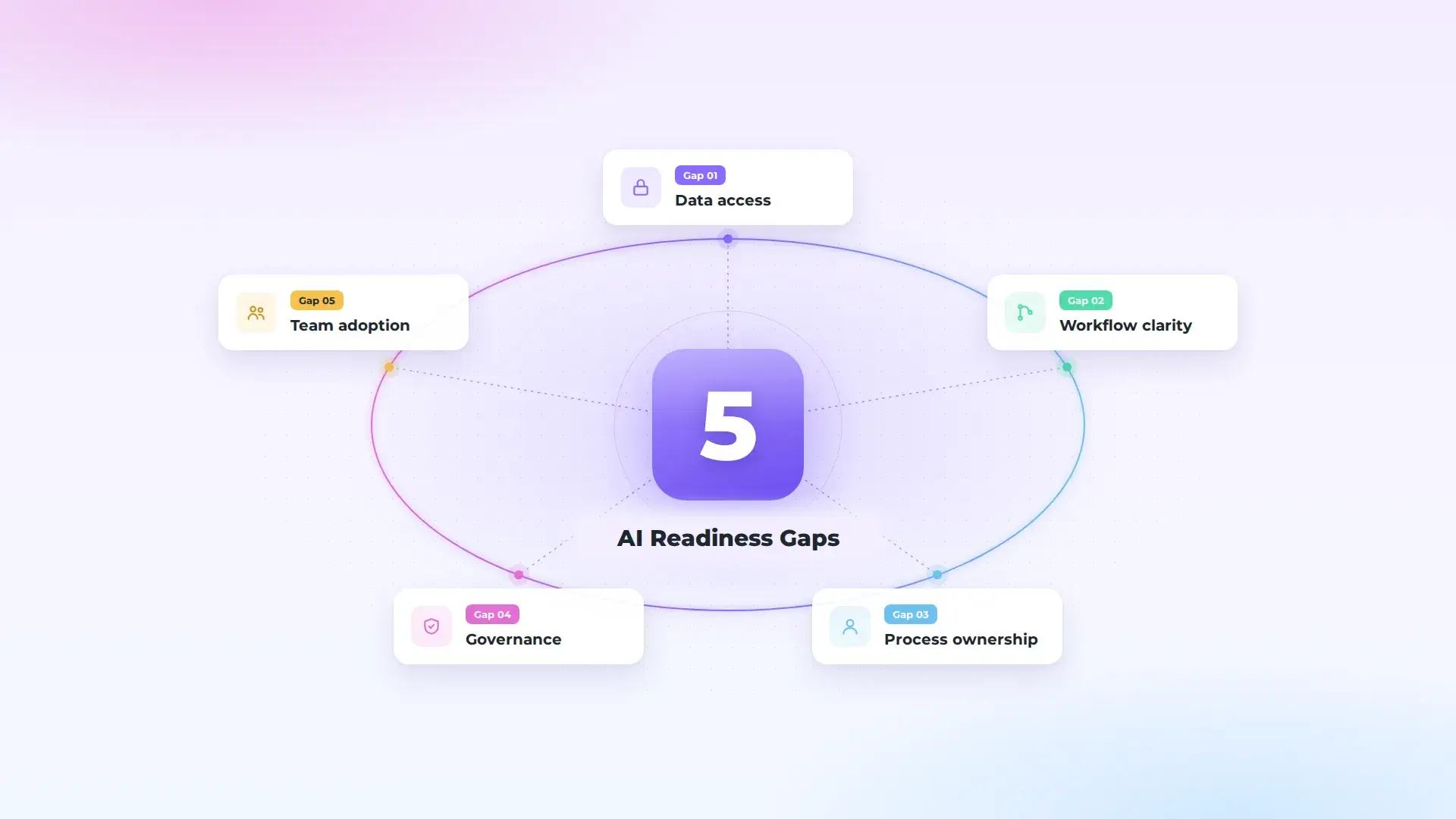
These are AI readiness gaps. They rarely come up in a kickoff meeting, because everyone is talking about the use case. They come up a few weeks later, when the work needs something from the business that isn’t there yet. Below are the five we think are worth checking before implementation starts, what each one looks like inside a real workflow, and a quick way to test for it yourself.
1. The Data Exists, but Nobody Can Get to It
This gap is usually misread as a data quality problem. Companies assume they need clean, centralized data before AI can do anything useful, and put the project on hold for a data program that never quite finishes. For a first project, quality is rarely what stops the work. Access is.
Take a workflow like order entry. The orders sit in a shared inbox. Customer and product records are in the ERP. Nobody has agreed whether an integration can read from the ERP, whether the vendor needs to be involved, or whether IT is comfortable with it. None of that is a data problem in the usual sense, and all of it has to be settled before anything gets built.
We saw a version of this throughout a recent Forward Deployed Engineer engagement covering 10 operational areas at a multi-location distribution company. In many workflows, the data needed for the next step already existed. It was spread across the ERP, email, Excel files and individual people, so work waited until someone found it, interpreted it and typed it in again. Where a process wasn’t ready for AI yet, the first piece of work was the data flow or the system connection. Neurony built the ERP connection once, as a reusable layer, so each later workflow could use it instead of starting from scratch.
It affects timelines directly. Neurony’s typical range is stated like this: a scoped proof of concept may typically be delivered in approximately 14–21 days, depending on data access, integrations, technical complexity, and client availability. Data access is the first dependency on that list. While it’s unresolved, the build waits.
How to test for it: for the one workflow you have in mind, can someone name the systems it touches, the person who owns each one, and how you would get read access this month? If any answer is “we’d have to find out,” that’s the gap.
2. The Workflow Only Exists in People’s Heads
Most teams can describe their process. Fewer can describe it the way it runs on a busy Tuesday: the customer who always sends orders as a phone photo, the product code someone corrects by hand, the approval that happens over chat because the official route is too slow. The official version is written down somewhere. The real one lives with the three people who do the work.
AI built against the official version meets the real one on its first day of use. A lot of “the pilot didn’t work” stories start here. The system handled the process it was given. It was given the wrong process.
There’s a second cost. Without a clear picture of the workflow, there’s no clear definition of a correct result, so there’s nothing to measure. Look at how a real result is expressed. In the Meesenburg implementation, 98% of processed orders required no manual modification. A number like that can only be reported when “manual modification” is something you can count, against a shared idea of what a correct order looks like.
The same engagement found this pattern in several departments. Reporting logic, purchasing decisions, customer-specific exceptions and process rules often sat with one or two employees and weren’t written down in a form anyone else could use. Shared spreadsheets filled the gaps, with the problems that come with them: simultaneous edits, overwritten information and little record of who changed what. In some areas, one key person being away was enough to delay or interrupt the process.
How to test for it: ask two people who do the work to describe it separately, then compare the two versions. Count the exceptions each of them mentions. If you don’t know roughly how many cases come through each week, or what share of them are exceptions, start there.
3. Everyone Supports the Project, but Nobody Owns It
Sponsorship and ownership get confused. A sponsor says yes to the idea. An owner decides how the workflow changes, has the hours to make that happen, and answers for the result. It’s common to find a supportive CEO, an IT lead who owns the tool, a department head who owns the process, and no single person who owns the outcome.
This gap stays invisible while the work is technical. It appears the first time the project needs a business decision: whether the team stops typing orders manually, which cases go to review, what the person who used to do the task does instead. Without an owner, those decisions go to a meeting, and then to another one.
How to test for it: name one person who can approve a change to how this workflow runs, and who has real time for it in the next quarter. If the honest answer is a committee, or someone whose calendar is already full, sort that out before scoping anything.
4. Nobody Has Decided What the AI Is Allowed to Do on Its Own
Governance sounds like a large-company concern, and at company level it can be. For a first project it’s smaller and more practical: a short set of rules for one workflow. Which data can the system see? Which outputs go straight through, and which go to a person first? Who gets told when it’s wrong, and who fixes it? Where is that recorded?
When these rules don’t exist, one of two things tends to happen. A security or legal review arrives late and stops a pilot that was working. Or the team quietly decides not to trust the system and checks everything by hand, which removes most of the benefit. If personal data, or decisions about customers or employees, are involved, bring legal and IT security in at the start.
Governance isn’t scored as its own dimension in Neurony’s AI Readiness Assessment. It cuts across the others, since data access, process design, ownership and how the team handles the output all feed into it.
In practice, these rules can be simple. In the engagement described above, the order-processing tool sends uncertain cases to a person for review, and the purchasing tool calculates the required quantity while the final decision stays with the buyer.
How to test for it: could you write one page today that says what the system may do without approval, and what happens when it gets something wrong? If not, writing that page belongs in the first month of the project.
5. The People Who Will Use It Haven’t Been Asked
The team doing the work today is the team that will check the AI’s output tomorrow. If they weren’t involved in describing the exceptions, haven’t seen what a typical output looks like, and don’t know what to do when it’s wrong, adoption becomes a problem after launch. It shows up as parallel spreadsheets, double-checking everything, or a slow drift back to the old way.
Skills training helps, but it’s rarely the main issue. People use a tool they helped shape, whose mistakes they know how to catch, and which takes away work they didn’t want in the first place. The first two are within your control before implementation starts.
How to test for it: have the people who will use the system seen an example of its output? Do they know what they’re expected to do when it’s wrong? Has anyone asked them which part of the task they’d most like to hand over?
How These AI Readiness Gaps Map to Your Assessment Score
If you’ve taken Neurony’s AI Readiness Assessment, four of these gaps line up with dimensions in your report:
- Data you can’t reach: Data & Systems
- A workflow that lives in people’s heads: Process Visibility
- No owner: Leadership Readiness
- A team that hasn’t been asked: People & Skills
The full breakdown of each dimension is in What Is an AI Readiness Assessment? How It Works, What It Measures, and What You Get. If you’re still working out whether your company is ready at all, What Is AI Readiness? How to Know If Your Company Is Ready for AI is the better place to start.
You Don’t Have to Close All Five Before You Start
A readiness gap only blocks the workflow you’re about to work on. If your first project is order entry in Operations, a missing owner in Marketing doesn’t matter yet. Check the five gaps for one workflow in one department, close the ones that apply, and leave the rest until you get there. Checked this way, AI implementation readiness becomes a question about one workflow, which is far easier to answer than a verdict on the whole company.
Not every gap points to AI, either. In the engagement described above, the analysis separated workflows where AI could add value from those that first needed better data, clearer rules or stronger system connections, and some turned out to be better suited to automation or custom software.
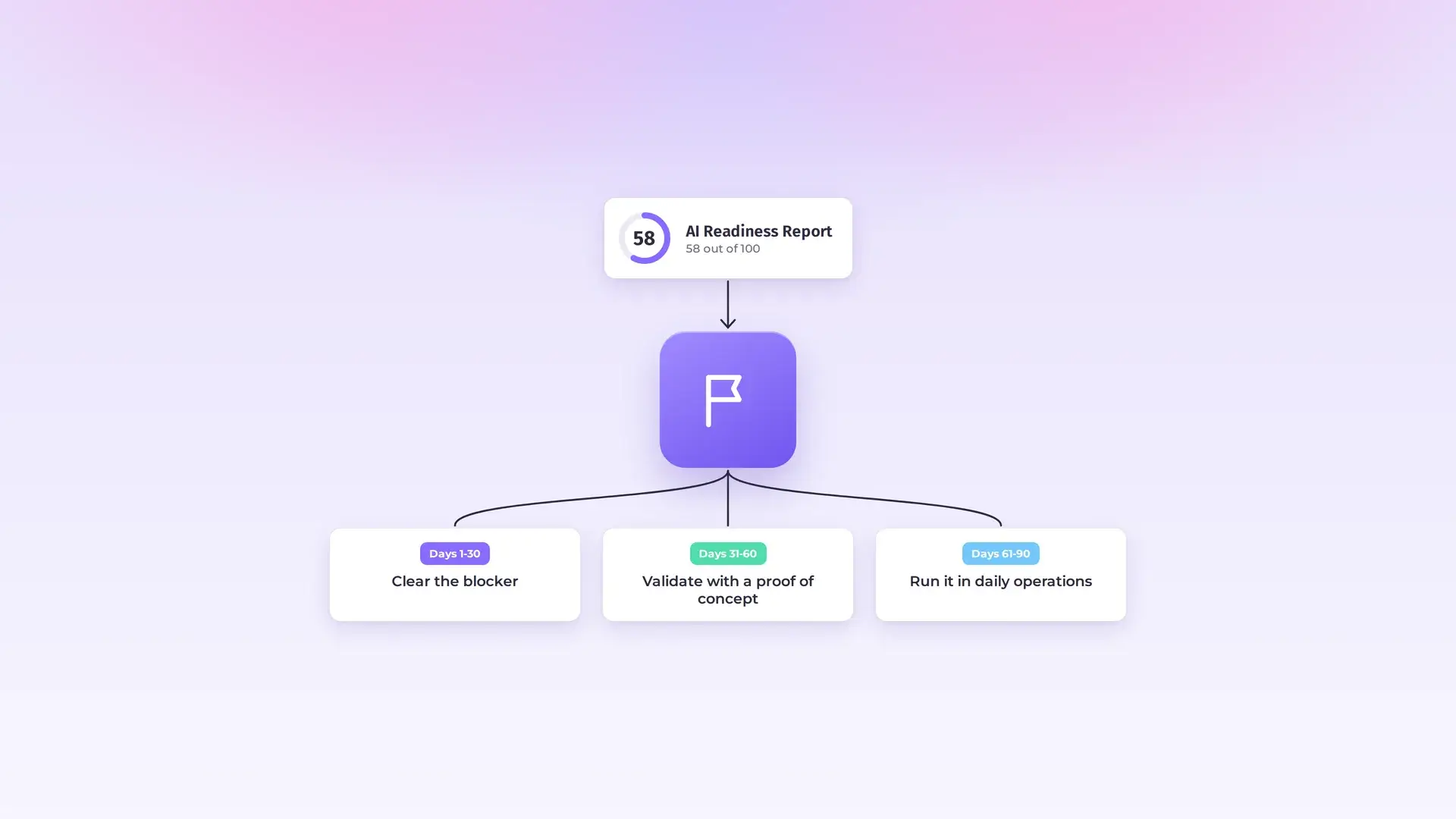
If you already have your assessment results, You Have Your AI Readiness Score. Here Is How to Turn It Into a 90-Day Roadmap shows how your weakest score should shape the first 30 days. If the gaps you found are mostly about system access and integration, that’s the work Neurony’s AI Adoption approach covers, from assessment to live deployment. The Meesenburg case study shows one order workflow taken from email and documents into the ERP.